Images as Context
Working with coding agents has been a dance of context management. These days, if an agent loop isn’t producing the result I want, it’s more often than not a problem of context rather than a shortcoming of the language model or agent scaffold/harness.
Because of this, I’ve started thinking about context as the object of value in building software and doing things with a computer. Of all the ideas that exist in the universe, the context you are working with provides the directional leanings for the problem you are dealing with and the implicit shape a solution could take.
Context also comes with a variety of information densities. This week, I tried to provide the Macintosh Human Interface Guidelines from 1992 as context to Claude Code to coax out a CSS library that would allow me to style a website with the design patterns from Mac OS 9. After chopping up the 400+ page PDF into single-page PDFs, Claude Code navigated these pages via the table of contents it found on one of those pages, then created a markdown file with its findings from the design.
The results were far from pixel perfect, but the concept, that context can be grouped, refined, transformed, and carried around between agents crystallized for me from the experiment.
My working thesis is the agent struggled to implement pixel perfect design, not because it can’t, but because I hadn’t provided it a well defined design specification. And what I had provided had relatively low information signal to solve that problem.
However, if I were to refine a design specification out of this more diluted context, that could become a high information density piece of context that would be portable to communicate the idea with clarity to any agent in the context of any problem I was trying to solve using this design system.
The image problem
The context problem is not quite that simple though.
When it comes to reproducing something in code, an image is rarely enough to get a pixel perfect design. Whereas language descriptions, especially those with specific measurements, seem to get better results.
I’m not the only one who has noticed this behavior.
Here’s a straightforward example I tried for this screenshot of a text document in Mac OS 9, prompting claude-opus-4-5-20251101.
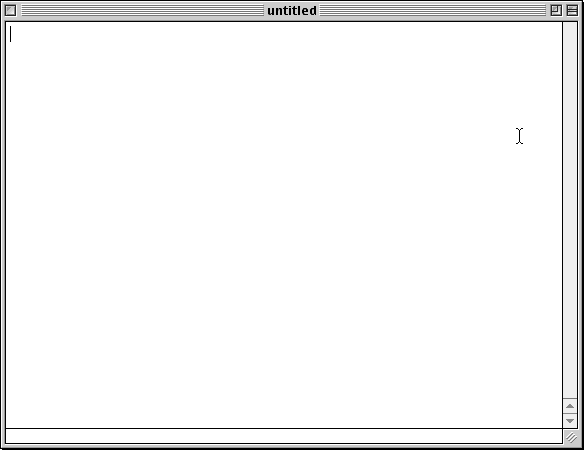
Here’s claude-opus-4-5-20251101’s output.
Here is gemini-3-pro-preview’s output.
I chose these specific models because they are the top performing models on DesignArena.
Both results are obviously inspired by the source image, but also not close to pixel perfect. And I suspect we’re not exactly starting from zero-knowledge in this case. These models know roughly what Mac OS 9 looks like and can describe it in language:
… Key Visual Elements
Window Design
- Light gray textured backgrounds with subtle horizontal pinstripes
- Rounded rectangular title bars with a striped/ridged texture …
At least in broad strokes.
While I give Gemini credit for doing the best job I’ve seen on this particular task by a language model, it’s still not close to a pixel perfect reproduction.
Words work better
So how do we do better? We could modify the image to annotate focus points for the model, but the image is what we want. The model just isn’t quite giving it to us.
So what can we do? We can use words.
With Gemini 3 Pro Preview, we get this:
Not exactly right, but meaningfully closer (as far as the buttons are concerned). The words help get the model closer to the desired result. This is the pattern we’ve become familiar with when working with coding agents.
The image alone is not quite sufficient to get the desired output. We need to follow up with words to improve clarity if we want pixel perfect.
This recognition is informative because it suggests that text-based representations of concepts are more effective for getting models to produce the desired output in code. Text provides an easier means to steer incorrect output and seems to capture a specification more losslessly and portably than an image.
Since we’re looking for language-like output, language input seems to be the most effective way to steer. In the case of an image model, like Nano Banana Pro, if you want a near pixel perfect reproduction of an image in a modified environment, you just give the model the image.
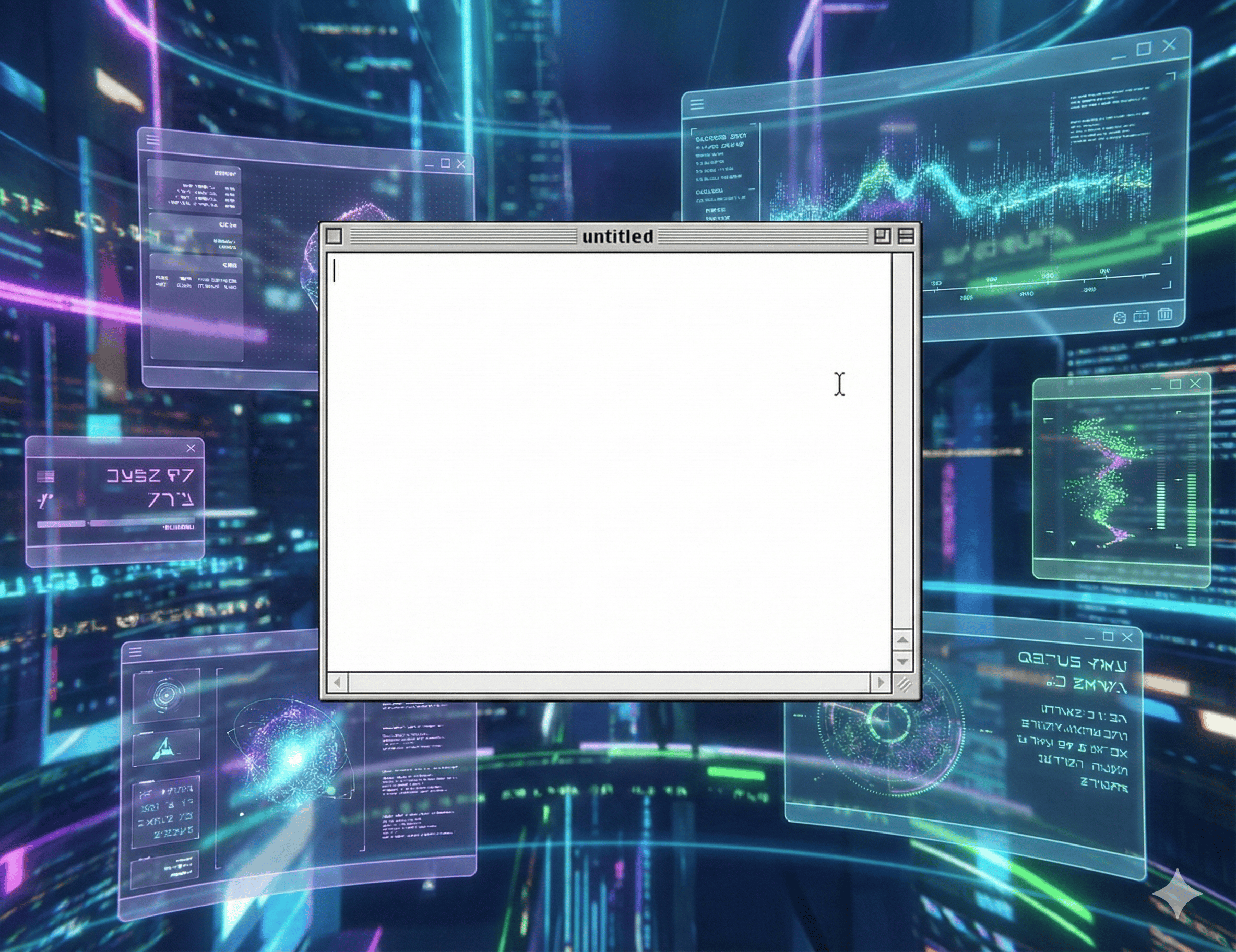
Note: the model still isn’t quite perfect as it adds disabled arrows on the horizontal scrollbar that aren’t there in the original image.
If you want an image, give an image. If you want text, give text.
The state of the art in both areas is quite good.
Images are helpful but not (yet) sufficient context to produce code
Images are pixels on a screen. If you want to introduce a new visual element to an image, you work in these pixels and these pixels alone. At least, until models start creating images with layers.
To reproduce an image as a website, a translation of the image into code that a browser renders is necessary. That feels a lot more complicated to me.
It’s possible this is, in a way, a data problem. Based on my research, there aren’t that many attempts to reimplement the Mac OS 9 design system on the web. If there were, the model could probably execute this task without issue, roughly reproducing from example projects.
The models’ failures seem like failures to generalize for some edge cases. Mac OS 9 button icons are unusual looking. Nothing uses these today. The UI pattern did not endure.
A model can be prompted with words to reproduce button designs like this. But they balk when asked to describe or reproduce it themselves given the image alone or even just the concept, e.g. “describe the two buttons in the top right corner of the windows in the Mac OS 9 Platinum UI”. They just don’t seem to really know what they are the way they seem to know about other things in depth.
This challenge continues to be an interesting one that shows up as I attempt to transform ideas from context into different code projects.
Recommended
Running a Mile with LLMs
I was not planning on writing about this but after reading Sascha's post, I decided it could be interesting because his demonstration on what it...